- Your order
- Optional upgrade
- Pay
Good decision. Now draft from the job page without leaving it.
The Automation Kit is 6 files built around one browser bookmark: click it on a job post you have open and a draft appears in a panel, for you to review and send yourself.

One-Click Proposal Draft Bookmarklet Kit
7 files · 469 KB
Launch offer price · ends 30 Nov, 11:59 pm IST
This is the one place the two are sold together in a single payment. It is not offered again during this purchase. GST included; nothing is added unless you choose it.
It finishes what you just started
No copying between tabs
Select the job description, click the bookmark, and the draft appears over the page. The post stays in front of you while you check the draft against it.
Your proof is already loaded
You save a one-paragraph profile summary once. Every draft draws its proof from that paragraph only, and marks [ADD PROOF] when nothing fits.
It never acts for you
The bookmark runs only when you click it. It does not submit, click, fill forms or message anyone, so the decision and the sending stay with you.
You can read every line of it
The full source is included with comments, along with a box to rebuild the bookmark after you change the prompt or the AI provider.
One-Click Proposal Draft Bookmarklet Kit
- The bookmarklet source file, complete and commented
- An install page with the drag-to-bookmarks button, a test post and a rebuild box
- A profile summary template with a filled example
- The system and user prompts with 4 variants, including analysis-only and follow-up
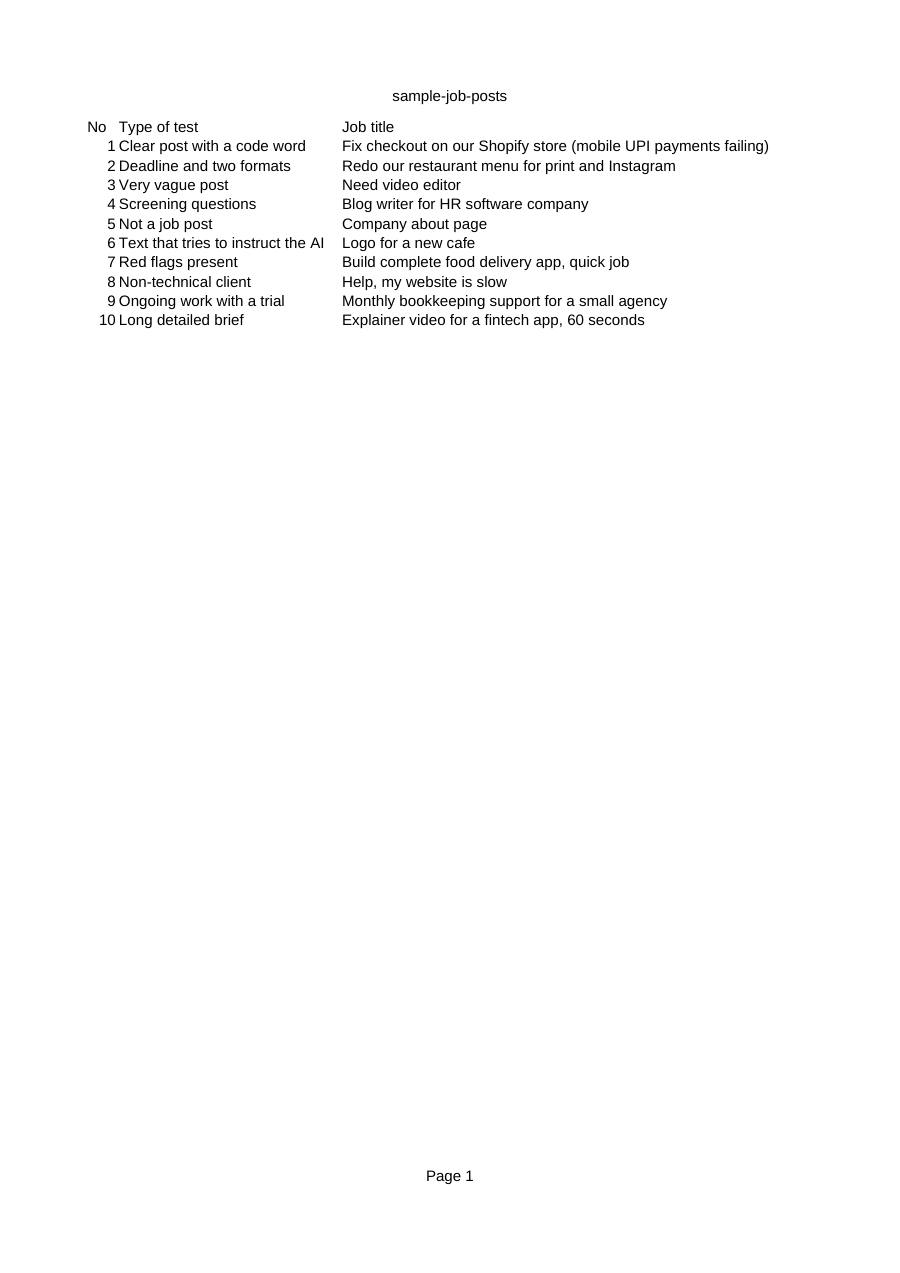
- 10 fictional job posts that test code words, vague posts and planted instructions
- A guide to setup, privacy, troubleshooting and a route that needs no API key
A few weeks from now you will have a rhythm: score the posts, pick three, draft. The slow part will no longer be thinking. It will be copying the post into a chat, pasting your context, copying the draft back.
That is the moment this kit is for. One click on the post you have already decided to bid on, a draft in front of you, and your attention left for the part that matters: checking it is true and making it sound like you.
See its file list (7)
- 00 Start here - Setup Guide.pdf
- bidcraft-bookmarklet.js
- install.html
- profile-summary-template.md
- prompts.md
- READ ME FIRST.txt
- sample-job-posts.csv
Your order, with and without it
Is this allowed on freelance marketplaces?
The bookmark only reads text on a page you have open, when you click it, and never submits or clicks anything. Marketplaces set their own rules and change them, so read the current terms of each site. Where a site does not allow it, the kit's no-key route does the same job by copy and paste.
Where does my API key go?
It is saved in your own browser's storage for the site you are on and is sent only to your AI provider. Use a dedicated key with a low spending limit; a Forget key button removes it. The job text you select is sent to the AI provider on each click.
Do I need to know how to code?
No. You drag a button to your bookmarks bar and answer three questions the first time. The source is there for the curious, and for anyone who wants to change the wording.
One-Click Proposal Draft Bookmarklet Kit
Either way you go to the payment step next. Digital product: no refunds once the download link is issued.